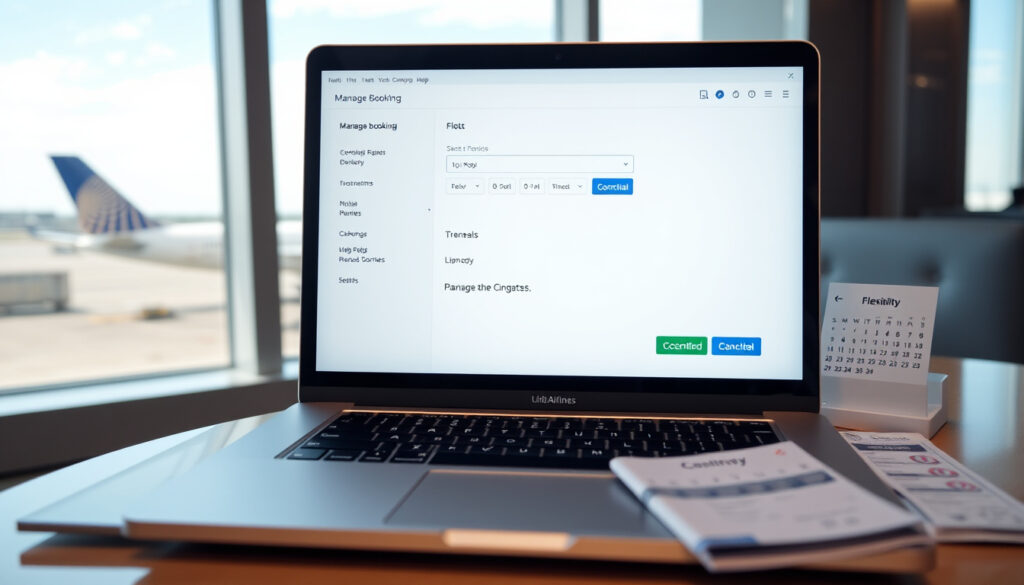
United Airlines Manage Booking – Guide to Changes, Cancellations & More
United Airlines offers passengers multiple pathways to view, modify, and manage their reservations throughout the travel journey. Whether you need to adjust a flight time, cancel a booking, add checked luggage, or simply review your itinerary, the airline provides digital tools through both its website and mobile application. Understanding how to navigate these options efficiently can save travelers both time and potential fees.
This guide walks through the essential features of United’s booking management system, including access methods, modification policies, cancellation rules, and support channels. All information reflects current United Airlines policies as documented on the carrier’s official help pages.
Passengers can access their reservations through United’s website or dedicated smartphone application using either their confirmation number or MileagePlus membership credentials. The system allows modifications ranging from simple flight changes to complete cancellations, though certain fare types carry specific restrictions that travelers should understand before making adjustments.
How Do I Access and Manage My United Airlines Booking Online?
The primary gateway for managing United reservations is the My Trips section of united.com. Travelers can log in with their confirmation number paired with their last name, or authenticate using their MileagePlus account credentials. Once inside the dashboard, passengers gain access to their complete booking history and current reservations.
United’s platform supports management through three distinct channels: the desktop website at united.com, the iOS and Android mobile applications, and airport kiosks. All three interfaces share the same underlying reservation system, ensuring consistent information across touchpoints.
Finding Your Confirmation Number
Your confirmation number is a six-character alphanumeric code sent via email immediately after booking completion. This code appears in your confirmation message subject line and within the body of the email. If you cannot locate your confirmation, United’s help resources provide guidance on retrieving reservation details through alternative verification methods.
Using the United Mobile Application
The United app mirrors the functionality available on the website, with an interface optimized for smartphone screens. Travelers can manage all aspects of their booking directly from their mobile device, including checking in for flights, purchasing seat upgrades, and adding checked baggage. The app also delivers real-time flight status notifications directly to your device.
- Basic Economy fares permit cancellation for refund but not flight modifications
- The 24-hour federal cancellation window applies to reservations booked at least seven days ahead
- Basic Economy tickets issued May 2019 through January 2022 with travel commencing January 2022 or later may qualify for fee-free changes
- Award tickets require available space in the same cabin for flight modifications
- Mileage redeposits from canceled award tickets typically appear the same business day United processes the cancellation
- Phone-based changes may incur additional service fees depending on your booking method
- Third-party bookings through agencies like Kayak or Expedia require direct contact with that OTA for modifications
| Action | Steps | Fees/Timing | Notes |
|---|---|---|---|
| Change Flight | Login > My Trips > Change | Fare difference may apply | No change fee on most fares |
| Cancel Booking | Login > My Trips > Cancel | Varies by fare type | 24-hour free window if booked 7+ days ahead |
| Add Checked Bag | Login > My Trips > Add bags | Based on MileagePlus status | Prices may differ from airport counter |
| Seat Selection | Login > My Trips > Seats | Included or fee-based | Depends on fare and route |
| Online Check-In | Login > My Trips > Check in | Available 24 hours prior | Generates mobile boarding pass |
How Do I Change or Cancel a United Airlines Booking?
United Airlines eliminated change fees for most fare types, making flight modifications more accessible for travelers. However, fare differences between your original ticket and new selection will still apply each time you modify a booking. Understanding these distinctions helps travelers make informed decisions about whether changing flights makes financial sense for their situation.
Changing Your Flight
To modify an existing reservation, navigate to My Trips on united.com or within the United app. Select the specific reservation you wish to adjust, then choose the “Change flight” option. The system will present available alternatives that meet United’s rebooking criteria.
Modified flights must maintain the same departure and arrival airports as your original booking. The replacement flight should depart within 24 hours before or after your originally scheduled departure time. Additionally, the new flight must be operated by United or United Express rather than a partner airline.
If your flight is departing within 24 hours, United may offer same-day change options with no change fees for MileagePlus Premier members. General members may also access same-day standby options. Check the United app or website during the check-in window for available alternatives.
Travelers who booked through third-party online travel agencies including Kayak, Expedia, or similar platforms must contact those services directly to request modifications. However, bookings made through Chase Ultimate Rewards, Capital One Travel, or American Express Travel can be managed directly through United’s website despite not being booked directly with the airline.
Canceling Your Booking
The cancellation process follows a similar pathway through My Trips. Select your reservation, choose “Cancel flight,” and confirm your decision. Upon successful cancellation, United presents options for receiving a travel credit or processing a refund to your original payment method, depending on your fare type.
Refundable fares provide the most flexibility, allowing cancellation and complete refund to your original form of payment any time before departure. Non-refundable tickets converted to travel credits must be used within one year of your original ticketing date. These credits apply toward future United purchases and carry the passenger’s name, preventing transfer to other travelers. For comprehensive travel planning, comparing options across different carriers and travel insurance providers offers complementary guidance for managing unexpected changes.
Understanding Name Change Policies
Current United policies do not permit passengers to change the name on a reservation. Minor corrections such as fixing typos or updating a middle name may be processed through customer service, but substantive name changes require canceling the existing booking and purchasing a new ticket under the correct name.
To cancel only certain passengers or flight segments within a reservation, you must first divide the booking into separate reservations. This creates individual records for each traveler or flight leg, allowing targeted cancellations while preserving remaining portions of the original itinerary.
How Do I Add Bags, Upgrade Seats, or Check In via United Manage Booking?
Beyond basic modifications, United’s management system accommodates several ancillary services that enhance the travel experience. Adding checked luggage, selecting preferred seats, and completing the check-in process all flow through the same My Trips interface used for flight changes and cancellations.
Adding Checked Bags to Your Reservation
Pre-purchasing checked bags through the United website or app often costs less than paying baggage fees at the airport. Prices vary based on your MileagePlus membership level, the fare type you purchased, and your route. Premier members and premium cabin travelers typically receive complimentary checked bag allowances that they can apply during the booking management process.
Seat Selection and Upgrades
The seat selection interface within My Trips displays available seats across the aircraft cabin. Prices range from complimentary for standard seats to additional charges for premium economy options or preferred seating near the front of the aircraft. United’s upgrade system integrates with MileagePlus, allowing members to use earned upgrades or complimentary upgrades based on their status level. For those exploring various airline platforms, our review of Air New Zealand’s booking management provides additional context on seat selection tools available across carriers.
Online and Mobile Check-In
United opens the check-in window 24 hours before your scheduled departure. During this window, you can complete check-in through My Trips on united.com or through the United app. Completing check-in generates your mobile boarding pass, which you can save to your device’s wallet application for airport navigation.
What Is the United Airlines Manage Booking Phone Number for Support?
Travelers requiring personalized assistance with their reservations can contact United’s Reservations desk directly. Phone support handles complex modifications, cancellations involving multiple passengers, and issues that cannot be resolved through self-service tools. Representatives can process changes, provide refund status updates, and escalate concerns that require special handling.
When calling United support, have your confirmation number and passenger details ready to expedite the verification process. Phone-based changes may carry service fees depending on your specific situation and the nature of the requested modification. Airport service desks also handle reservation modifications for passengers with immediate travel needs.
For reservations originally booked through third-party agencies, direct contact with that booking platform remains the appropriate first step. United’s customer service generally cannot modify third-party bookings without explicit authorization from the original ticketing agency.
Managing Your United Booking: A Lifecycle Overview
Understanding the timeline of when different management options become available helps travelers plan their interactions with United’s booking system. The following stages outline the typical booking lifecycle from initial purchase through post-flight closure.
- Booking Completion: Confirmation number generated and sent via email with immediate access to My Trips management tools.
- 24-Hour Review Window: Federal regulation permits cancellation without penalty within 24 hours of booking, provided departure is seven or more days away.
- Pre-Flight Management: Add services, select seats, purchase baggage, and modify flights available until departure.
- Check-In Window (24 hours prior): Online check-in opens, boarding passes generated, same-day change options available.
- Post-Flight Credits: Travel credits from cancellations processed; mileage redemptions from award cancellations returned to account.
What Is Certain and What Remains Unclear About United Booking Management?
Several aspects of United’s booking management policies are clearly established through official sources, while others depend on specific circumstances that may vary by individual situation.
| Established Information | Circumstances Requiring Verification |
|---|---|
| No change fees on most fare types since 2022 | Current baggage fee amounts for specific routes |
| 24-hour cancellation window for bookings made 7+ days ahead | Seat upgrade pricing for specific flights |
| Travel credits expire one year from original ticketing date | Name correction eligibility for specific situations |
| Basic Economy restrictions on modifications | Third-party booking modification capabilities |
| Same-day change options for MileagePlus Premier members | Phone change fees for specific booking scenarios |
The Broader Context of United’s Booking Flexibility
United Airlines’ shift away from change fees reflects broader industry trends accelerated by pandemic-era booking policies. The carrier eliminated these fees in 2022, joining other major U.S. airlines in moving toward a more flexible booking model. This change recognized that travelers face genuine uncertainties and that punitive modification fees damage customer relationships.
The airline’s investment in digital booking management tools supports this flexible approach. Self-service capabilities through the website and mobile application allow passengers to handle most routine modifications without contacting customer service. This digital infrastructure also enables United to communicate flight changes, gate assignments, and delay information directly to travelers who have opted into notifications.
Integration with the MileagePlus loyalty program connects booking management to rewards earning and redemption. Premier status members receive additional benefits including complimentary checked bags, priority boarding, and access to same-day flight changes. These benefits stack with the base-level booking flexibility available to all passengers.
Sources and Official References
“All U.S. carriers are required to hold reservations at the booked fare for 24 hours, or allow a full refund if the reservation was made within that timeframe.”
— U.S. Department of Transportation regulations on airline customer service
Key policy information in this guide draws from United Airlines’ official help pages covering flight change procedures, refund eligibility guidelines, and flexible booking options. The 24-hour cancellation rule reflects federal transportation regulations enforced by the Department of Transportation.
Key Takeaways for Managing Your United Booking
United Airlines provides comprehensive tools for passengers to manage their reservations without fees on most fare types. The My Trips system serves as the central hub for all modifications, accessible through both the desktop website and mobile application. Understanding the 24-hour cancellation window, Basic Economy restrictions, and MileagePlus integration helps travelers make informed decisions when their plans change.
For additional travel planning resources, compare options across different carriers. Our review of Air New Zealand’s booking management and travel insurance providers offers complementary guidance for international and domestic travel planning.
Frequently Asked Questions
What is the United Airlines manage booking phone number?
United’s Reservations desk handles booking modifications by phone. Contact information is available through United’s official website under the customer support section.
How do I find my United Airlines confirmation number?
Your confirmation number appears in your booking confirmation email, typically as a six-character code in the subject line and message body.
Can I change my name on a United Airlines booking?
United does not permit substantive name changes. Minor corrections may be processed through customer service, but significant name changes require cancellation and rebooking.
What fees apply when changing a United flight?
Most United fare types no longer carry change fees. Passengers pay any fare difference between their original ticket and the new selection.
How long are United travel credits valid?
Travel credits from canceled bookings must be used within one year of the original ticketing date.
Can I add a checked bag after booking a United flight?
Yes, checked bags can be added through My Trips on united.com or the United app, often at lower rates than airport baggage counters.
What happens to my mileage if I cancel an award ticket?
Mileage redeposits from canceled award tickets generally appear in your MileagePlus account the same day United processes the cancellation.
Can I cancel part of my multi-city United reservation?
Partial cancellations require dividing the reservation first through the My Trips interface, creating separate records for individual passengers or flight segments.
More related posts
 What Is a PDF Reader? Free Viewers, Apps & Necessity Guide
 Happy Gilmore 2 Reviews: Is the Sequel a Hit or Flop?
 Pope John Paul II: Life, Legacy, Controversies, and Sainthood
 Self Rai ing Flour Sub titute: How to Make It from Plain Flour
 Private Jets Nelson Airport Noise: Levels and Complaints
 Easter Sunday Public Holiday – Status Across Australia 2024
 Willowbank Wildlife Reserve Reviews: Honest Visitor Insights
 Man City vs Leverkusen Lineups: Score, TV Channel & Doku Absence
