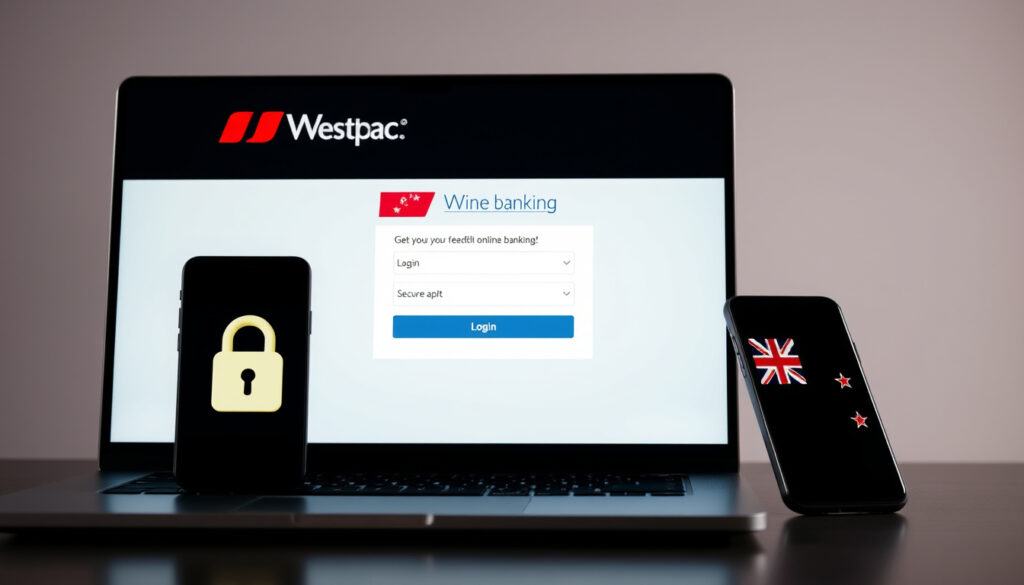
Westpac Login NZ Online Banking: Step-by-Step Guide
Anyone who’s tried to log into their bank account only to be stuck at a forgotten password knows the frustration, whether signing in through a browser or the Westpac One mobile app. This guide covers the login flow, registration, password resets, and troubleshooting, all from Westpac NZ’s official help pages.
Platforms supported: iOS and Android mobile app, web browser ·
Security features: Two-factor authentication, fingerprint/face login on mobile ·
Available services: Account management, payments, card controls, loan applications ·
App store rating: 4.7 out of 5 (Apple App Store, as of 2025)
Quick snapshot
- Access via bank.westpac.co.nz (Westpac NZ)
- Enter customer ID and password (Westpac NZ)
- Two-factor authentication via SMS or app approval (Westpac NZ)
- Download from App Store or Google Play (Westpac NZ)
- Use fingerprint/Face ID or password (Westpac NZ)
- Quick access to all banking features (Westpac NZ)
- Never share login credentials (Westpac NZ)
- Enable biometric unlock (Westpac NZ)
- Log out after each session (Westpac NZ)
- Access via bol.westpac.co.nz (Westpac NZ Business Online)
- Enter Business ID, Login ID, Password (Westpac NZ Business Online)
- Support weekdays 8:30am–5:30pm (Westpac One Business)
Key details about Westpac One are summarized below.
| Attribute | Value |
|---|---|
| Platform | Westpac One |
| Provider | Westpac New Zealand |
| Access methods | Web, iOS app, Android app |
| Security | Two-factor authentication, biometric login |
| Temporary password expiry | 2 hours (Westpac NZ help) |
| Digital security system | Online Guardian (learns normal banking patterns) (Westpac NZ security page) |
| Business login fields | Business ID, Login ID, Password (Westpac NZ Business Online) |
| Business support hours | Weekdays 8:30am–5:30pm (Westpac One Business) |
How do I log in to Westpac One online banking?
Logging in via web browser
To sign in on a computer, go to bank.westpac.co.nz. Enter your customer ID and the password you set up during registration. Westpac NZ then sends a one-time code by text to your mobile number — that’s two-factor authentication (Westpac NZ help for login).
If you have a biometric-enabled device and have set it up, you can skip the SMS code by using the app approval method instead.
Logging in via the Westpac One mobile app
- Download the Westpac One mobile banking app from the Apple App Store or Google Play Store.
- Enter your customer ID and password. Or, if you’ve enabled it, use your fingerprint or Face ID.
- Approve the login on your phone — no need to type a code.
Biometric login is a fast alternative that Westpac NZ recommends because it’s both convenient and secure (Westpac NZ security advice).
How do I download the Westpac One mobile app?
Download the app from the Apple App Store (iOS) or Google Play Store (Android). After installation, log in with your customer ID and password or use biometrics if enabled.
What if I forget my customer ID or password?
If you can’t remember your customer ID, check any previous Westpac correspondence or call 0800 400 600. For a forgotten password, go straight to the “Forgot your password?” link on the login page (Westpac NZ password reset).
The implication: Westpac NZ has designed the login flow so that the most common problem — lost credentials — can be solved without visiting a branch, as long as your mobile number is up to date.
What is Westpac One online banking?
Key features of Westpac One
Westpac One is the current digital banking platform for personal customers in New Zealand, replacing the older Westpac Online Banking system. It offers account management, payments, card controls, and loan applications — all from one dashboard (Westpac NZ product overview).
- View balances and transaction history
- Transfer money between accounts and pay bills
- Manage card settings: lock, replace, or set spending limits
- Apply for credit products like personal loans and credit cards
Differences between Westpac One and older online banking
The older platform used a different interface and lacked modern security options like biometric login and real-time card controls. Westpac One also adds digital security features such as Online Guardian, which learns your banking patterns to detect unusual activity (Westpac NZ security detail).
The pattern: Westpac One consolidates multiple services into a single login, reducing the need for separate credentials for banking, cards, and loans.
How do I sign up for Westpac One?
Eligibility and requirements
You must already have a Westpac New Zealand account — everyday account, savings, or credit card. Registration is available online or through the mobile app (Westpac NZ registration guide).
Step-by-step registration process
- Visit westpac.co.nz and select “Login” then “Register”.
- Enter your account number and personal details.
- Westpac NZ sends a temporary password by text (it expires in 2 hours).
- Log in with your customer ID and the temporary password.
- Accept terms and conditions, then set your own password and security challenge questions (Westpac NZ first-time setup).
- Customise your username and add a mobile number so you can reset your password yourself later.
If your temporary password expires before you use it, you’ll need to call Westpac NZ or visit a branch to get a new one (same source).
The 2-hour expiry on temporary passwords is a strong security measure, but it means you can’t dawdle during registration. Have your account number and phone ready before you start.
What this means: Registration requires prompt action to use the temporary password before it expires.
How do I reset my Westpac One password?
Forgot password flow on web
From the login screen at bank.westpac.co.nz, click “Forgot your password?”. Enter your customer ID or username, plus the mobile number Westpac has on file. A temporary password is texted to that number (Westpac NZ password reset steps).
Forgot password flow on mobile app
Open the Westpac One app, tap “Forgot password?” on the login screen. The process is identical — you’ll receive a temporary password by text. Once entered, you’ll be prompted to create a new permanent password.
Security measures during reset
Westpac NZ requires two-factor authentication during password resets: you prove you own the phone number on file. If you don’t receive the text or your temporary password expires, call 0800 400 600 (or +64 9 912 8000 from overseas) (Westpac NZ support contact).
What this means: The reset process is designed so that only someone with access to both your customer ID and your mobile phone can change your password — a solid safeguard against unauthorised access.
What to do if Westpac One login is not working?
Common login issues
- Incorrect credentials: Customer ID and password are case-sensitive. Check caps lock is off.
- Two-factor code not arriving: Wait a minute and request a new code. If still not received, verify your mobile number is correct with Westpac.
- Account locked: After several failed attempts, your account may be temporarily locked. Contact Westpac NZ support to unlock it.
Browser and app troubleshooting
- Clear your browser cache and cookies, then try again (Westpac NZ tech tips).
- Ensure your browser is up to date (Chrome, Firefox, Safari, Edge all work).
- For the mobile app, go to your device’s app store and check for the latest version of Westpac One.
- Restart your phone or try a different network (switch from Wi-Fi to mobile data).
Contacting Westpac support
If nothing works, Westpac NZ’s customer support is available at 0800 400 600. For business customers, use the business helpdesk at 0800 00 99 11 (weekdays 8:30am–5:30pm) (Westpac One Business support). You can also send a secure message through Westpac One after you manage to log in.
Westpac NZ warns it will never ask you for your online banking PIN or password. If you receive a call claiming to be from Westpac asking for these, hang up and call 0800 400 600 (Westpac NZ scam warning).
The implication: Stay vigilant against phishing attempts that target login credentials.
Step-by-step guide to Westpac One login
Here’s a quick reference for the most common login path, compiled from official Westpac NZ instructions.
- Open a browser and go to bank.westpac.co.nz, or open the Westpac One mobile app.
- Enter your customer ID and password.
- If prompted, complete two-factor authentication (enter the code sent by text, or approve via the app).
- Once logged in, you’ll see your account dashboard. For added convenience, set up biometric login in the app settings.
For business customers using Westpac One Business, the login page at bol.westpac.co.nz requires a Business ID, Login ID, and Password (Westpac NZ Business Online).
What’s confirmed and what’s unclear
Confirmed facts
- Westpac One login requires customer ID and password (Westpac NZ help)
- Biometric login is available on mobile devices (Westpac NZ security page)
- Westpac One is the current digital banking platform for personal customers (Westpac NZ overview)
What’s unclear
- Exact number of active Westpac One users in New Zealand
- Future feature roadmap for Westpac One
- Whether the temporary password expiry window may be extended for certain services
What this means: Official sources confirm core features but leave some details unspecified.
What Westpac NZ says about security
“Westpac will never ask you for confirmation of your online banking PIN or password.”
Westpac NZ, Keeping you safe (Westpac NZ security guide)
“Never click links in unsolicited emails or text messages. Report and delete suspicious messages.”
Westpac NZ, Protect yourself against online scams and fraud (Westpac NZ anti-scam advice)
“Online Guardian is our digital security system designed to make digital banking safer by learning your normal banking patterns.”
Westpac NZ, Keeping you safe (Westpac NZ security guide)
Summary
For anyone banking with Westpac NZ, the login process is straightforward but hinges on one critical detail: keeping your mobile number up to date. Without it, password resets and two-factor authentication become much harder. For New Zealand customers, the choice is clear: enable biometric login and never share your credentials, or risk the hassle of a phone call to 0800 400 600 every time something goes wrong.
Related reading: How do I register and login to Westpac One · How do I reset my password
westpac.co.nz, youtube.com, westpac.co.nz, westpac.co.nz, apps.apple.com, apps.apple.com, westpacnzstaffsuper.co.nz, westpac.com.au, westpac.com.au
Frequently asked questions
Can I use Westpac One from overseas?
Yes. You can log in from anywhere with an internet connection. For two-factor authentication, you’ll need to receive SMS codes on your New Zealand mobile number. If you’re overseas and can’t receive texts, consider using the Westpac One app’s approval method instead.
What browsers are supported for Westpac One web login?
Westpac One supports the latest versions of Chrome, Firefox, Safari, and Microsoft Edge. Older browser versions may not display the login page correctly.
Does Westpac One support fingerprint login on Android?
Yes, the Westpac One Android app supports fingerprint login. You can enable it in the app settings after you log in with your password.
How do I activate my Westpac One debit card?
You can activate your debit card within Westpac One by going to the Card Services section and following the on-screen instructions. Alternatively, you can activate via phone by calling 0800 400 600.
How do I update my contact details in Westpac One?
Log in to Westpac One, go to Profile or Settings, and update your mobile number, email, or postal address. Changes may require two-factor authentication for security.
Is Westpac One available for business accounts?
Yes, Westpac One Business is a separate platform for business customers. It uses its own login at bol.westpac.co.nz and requires a Business ID, Login ID, and Password.
How do I view my account statements in Westpac One?
After logging in, navigate to the Accounts section, select your account, and choose Statements or Documents. You can view, download, and print statements for the past 7 years.
More related posts
 Nike Air Max 97: History, Features and Comparisons
 Auckland Shelter Dog Destroyed After 3-Year Court Wait
 Sacred Heart College Napier: State-Integrated School Guide
 Houses for Rent in Hamilton: Cheap Listings & Guides
 Canterbury Heavy Rain: Warnings, History & Impact (New Zealand)
 Pacers vs Knicks Player Stats: Box Scores & Game Analysis
 What Is an Overdraft? How It Works, Repayment, and Pros vs Cons
 Free AI Image Generator from Image: Best Tools & How to Use
